
Buying used items is one of the smartest ways to save money on electronics in Oman. Whether you’re looking for a used iPhone, a used iPad, a used phone, or a used laptop, the pre-owned electronics market in Oman offers excellent value — as long as you know what to look for. This guide gives you practical, honest tips to help you buy with confidence.
Why Buy Used Items in Oman?
The demand for quality used items in Oman has grown significantly in recent years. Here’s why so many shoppers are choosing pre-owned electronics:
- Save 30–60% compared to buying the same device new
- Access premium models (like the latest iPhone or a powerful MacBook) at mid-range prices
- Environmentally responsible — extending the life of a device reduces e-waste
- Wide variety — the used market often carries models no longer sold new
- Quick availability — no waiting for imports or pre-orders
The key to a great deal on used electronics is knowing what to check before you buy. Let’s break it down by device type.
Tips for Buying a Used iPhone in Oman
A used iPhone is one of the most popular purchases in the Oman second-hand electronics market — and for good reason. iPhones hold their value, receive software updates for many years, and deliver a premium experience even on older models. But there are a few important things to verify before handing over your money.
1. Check the IMEI Number
Every iPhone has a unique IMEI number. Before buying, ask the seller for it and check it on Apple’s coverage checker (checkcoverage.apple.com) or a free IMEI checker site. This will tell you:
- Whether the device is blacklisted or stolen
- The model and storage details
- Whether the warranty is still active
2. Check If It Is iCloud Locked
iCloud Activation Lock is one of the biggest risks when buying a used iPhone. If the previous owner’s Apple ID is still linked to the device and they haven’t signed out, the phone is essentially a paperweight — you cannot use it. Always ask the seller to sign out of iCloud in front of you, or confirm the device shows “Activation Lock: OFF” in the IMEI check.
3. Inspect the Battery Health
Go to Settings → Battery → Battery Health. A used iPhone with 80% battery health or above is generally acceptable. Below 80% means the battery may need replacing soon — factor that cost into your offer.
4. Check the Screen and Body
Look carefully at the screen for cracks, dead pixels, or discolouration. Check the body for dents, deep scratches, or signs of water damage (look for the water damage indicator — a small white/pink sticker near the SIM tray or charging port).
5. Test All Functions
Before buying any used iPhone, test: Face ID or Touch ID, all cameras (front and back), speakers and microphone, Wi-Fi, Bluetooth, cellular signal, charging port, and all buttons (volume, power, mute switch).
At Isouq, every used iPhone we sell is tested, unlocked, and checked for iCloud lock before listing — so you can buy with complete confidence.
Tips for Buying a Used iPad in Oman
A used iPad is a fantastic purchase for students, families, and professionals in Oman. iPads are built to last and offer a premium tablet experience even several generations old. Here’s what to check:
1. Verify the iPad Model and Generation
Go to Settings → General → About and check the model number. Cross-reference it with Apple’s website to confirm the generation, storage capacity, and whether it supports the Apple Pencil or Smart Keyboard — useful if you plan to use accessories.
2. Check for iCloud/Apple ID Lock
Just like iPhones, iPads can be locked to a previous owner’s Apple ID. Always confirm the device is signed out of iCloud before completing the purchase. A locked iPad cannot be set up or used.
3. Inspect the Screen Carefully
The screen is the most expensive part of a used iPad to repair. Check for cracks (especially at the corners), screen burn (visible on OLED models), dead pixels, or yellowing. Display the screen at full brightness on a white background to spot any issues.
4. Test the Charging Port and Battery
Check the battery health under Settings and test the charging port (Lightning or USB-C depending on model). A loose or dirty port is a red flag. Also check whether the iPad charges at full speed or slowly — slow charging can indicate a degraded battery or port.
5. Check the Wi-Fi and Cellular (if applicable)
Connect to a Wi-Fi network and test the speed. If it’s a cellular model, insert a SIM and confirm it detects signal. Test video streaming to confirm the screen, speakers, and network all work well together.
Browse Isouq’s selection of used Apple devices including iPads, where every device is tested and sold with a warranty.
Tips for Buying Used Phones (Android) in Oman
Whether it’s a Samsung, Xiaomi, Huawei, or any other brand, buying used phones in Oman requires a slightly different checklist than iPhones. Android phones vary widely in build quality and software support, so here’s what to watch out for:
1. Check the Android Version and Update Support
One of the biggest differences between Android and iPhone is software longevity. Before buying used phones running Android, check what the latest Android version the device supports. If it’s stuck on Android 9 or 10, you may miss out on security updates and newer apps.
2. Run a Factory Reset Check
Ask the seller to factory reset the phone in front of you, or confirm the phone is already reset and set up fresh. This ensures no personal data from the previous owner remains, and also confirms the phone isn’t running any hidden software.
3. Check for Google Account Lock (FRP)
Android has its own version of activation lock called Factory Reset Protection (FRP). After a factory reset, if a Google account was previously linked and not removed, the phone will ask for that Google account’s password to proceed. Always confirm FRP is not active before buying.
4. Inspect the Screen, Cameras, and Body
Test the touch screen by drawing across the entire surface. Test the front and rear cameras by taking photos and recording a short video. Check the body for cracks, especially around the camera module which is commonly damaged in drops.
5. Test Charging and Battery
Plug in the charger and confirm it charges. Check the battery percentage after a short period to see if it’s draining unusually quickly. Many Android manufacturers don’t expose battery health as clearly as Apple, so pay extra attention to real-world usage.
Shop quality used phones in Oman at Isouq — all tested, unlocked, and sold with warranty.
Tips for Buying Used Laptops in Oman
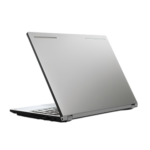
Used laptops are among the best-value purchases in the second-hand electronics market in Oman. Business-grade machines from Dell, Lenovo, and HP are often sold after corporate lease cycles — meaning they’re well-maintained, lightly used, and come with enterprise-level specs at consumer prices.
1. Check the Processor, RAM, and Storage
For general use in 2025, look for a minimum of an Intel Core i5 (6th generation or newer), 8GB RAM, and a 256GB SSD. Anything with an old HDD (hard disk drive) instead of an SSD will feel significantly slower — though you can often upgrade the storage yourself.
2. Test the Battery Life
Battery degradation is the most common issue with used laptops. Ask how long the laptop lasts on a single charge. On Windows, you can check the battery report by running powercfg /batteryreport in Command Prompt — this shows the original vs. current battery capacity. On Mac, hold Option and click the battery icon to see battery condition.
3. Inspect the Screen for Dead Pixels and Backlight Issues
Open a solid black image and a solid white image and look carefully at the screen. Dead pixels appear as tiny coloured or black dots that don’t change. Backlight bleeding shows as bright patches around the edges on a black screen. Both can be distracting in daily use.
4. Test the Keyboard and Trackpad
Open a text editor and type every key on the keyboard to ensure none are missing, stuck, or unresponsive. Test the trackpad by clicking, scrolling, and using two-finger gestures. Replacing a laptop keyboard can cost R.O 20–50, so factor this into the price if keys are damaged.
5. Check All Ports and Connectivity
Test every USB port, the headphone jack, HDMI or display output, SD card slot (if present), and the charging port. Connect to Wi-Fi and Bluetooth. Run a quick speed test to confirm the Wi-Fi adapter is working properly.
6. Run a Stress Test
Open several apps simultaneously — a browser with multiple tabs, a video, and a large file download — and observe the performance. If the fan is extremely loud, the CPU is overheating, or the laptop freezes, these are warning signs of hardware issues.
7. Check the Operating System Is Genuine
Go to Settings → System → Activation (on Windows) and confirm the OS is genuinely activated. A non-activated Windows installation will have watermarks and restricted features. Genuine activation adds peace of mind and ensures you receive all security updates.
Isouq carries a wide range of used laptops in Oman — all tested, cleaned, and sold with warranty. Popular models include Dell Latitude, Lenovo ThinkPad, HP ProBook, and Microsoft Surface laptops.
General Tips for Buying Any Used Item in Oman
Regardless of what type of used item you’re buying, these universal rules apply:
- Always buy from a trusted seller. Avoid anonymous marketplace listings with no ratings or reviews. Isouq is a verified electronics store in Oman with a physical location and customer service.
- Ask for a warranty. Any reputable seller of used electronics should offer at least a 30–90 day warranty. If they won’t, walk away.
- Don’t rush. Take your time inspecting and testing. If a seller pressures you to decide quickly, that’s a red flag.
- Compare prices. Check the going rate for the specific model you’re buying. If a deal seems too good to be true, it usually is.
- Get a receipt. Always ask for written proof of purchase — even for used items. You’ll need it for warranty claims.
- Check return policy. At Isouq, we accept returns on defective items. Confirm the policy before buying from any seller.
Where to Buy Used Items Safely in Oman
Isouq is Oman’s trusted destination for quality used items — from used iPhones and used iPads to used phones and used laptops. Every device is inspected, tested, and sold with a warranty so you can shop with complete confidence.
Visit our store in Hai Al Hail, Al Hail South, Muscat, or shop online at isouq.om with fast delivery across Oman. Our team is always on hand to advise you on the best option for your needs and budget.